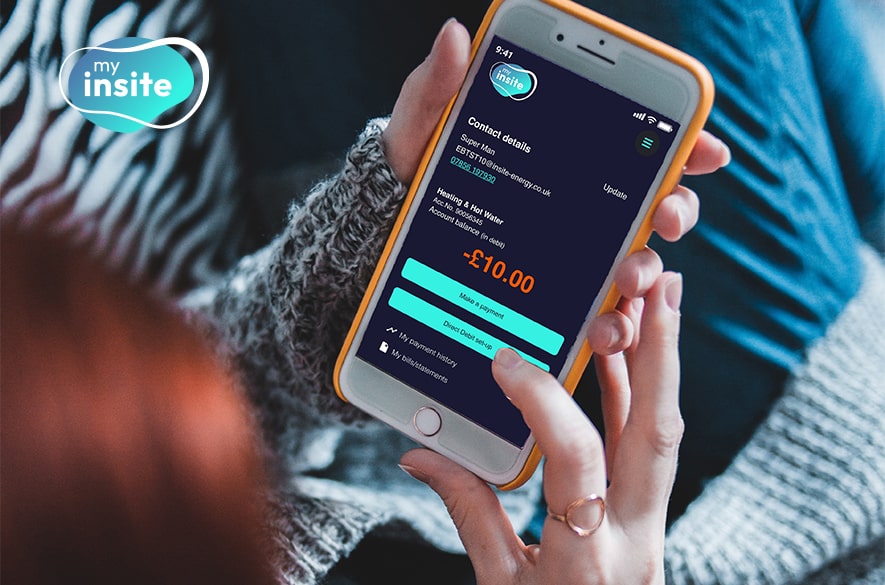
Energy account control at your fingertips
‘my insite’ is developed with residents in mind, bringing energy accounts into the palm of their hands. You can access the portal from any internet-connected device, including your phone, tablet or laptop. From there, you can make payments, manage your details, and view your account balance and payment history.
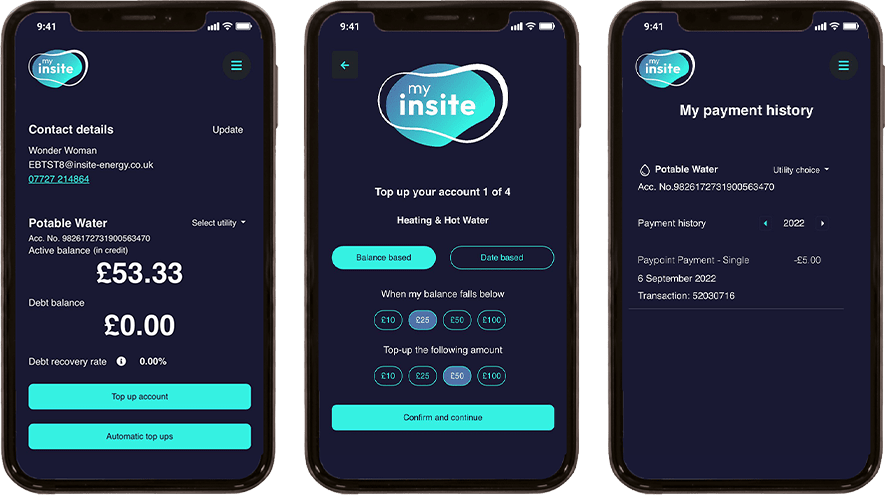
Easier payments to enhance your experience
With the launch of ‘my insite’, we expanded the range of payment methods available to you.
If you’re on PAYG, you can now make a one-off top-up through the portal. You can also set up automatic payments based on either a balance threshold or a chosen date. Once you register your phone number on ‘my insite’, you can also make payments by text message. Our interactive voice response service also lets you top up over the phone without speaking to an advisor. For those who prefer to pay in person, you can still make a top-up payment using cash, debit or credit card at any PayPoint outlet.
Residents in vulnerable situations can continue to make payments over the phone with one of our Customer Service Advisors. We will continue to provide paper bills for residents who need them.
More ways to manage your account
Through easily navigable screens, residents can view their payment history for a specific date range, as well as download their annual account statements. Credit billed residents can also view and download their monthly statements.
While there are many automated features, our dedicated customer service team can still be contacted via our online web chat, over the phone, and via email. Your microsites, and your in-home display if you are on PAYG billing, will continue to remain available to you too.
Learn how to use ‘my insite’
Written guides
Video walkthroughs
Additional support
- ‘my insite’ FAQs
- Contact our customer support team
We will continually be looking to improve and update my insite to give you the best customer experience as possible.